



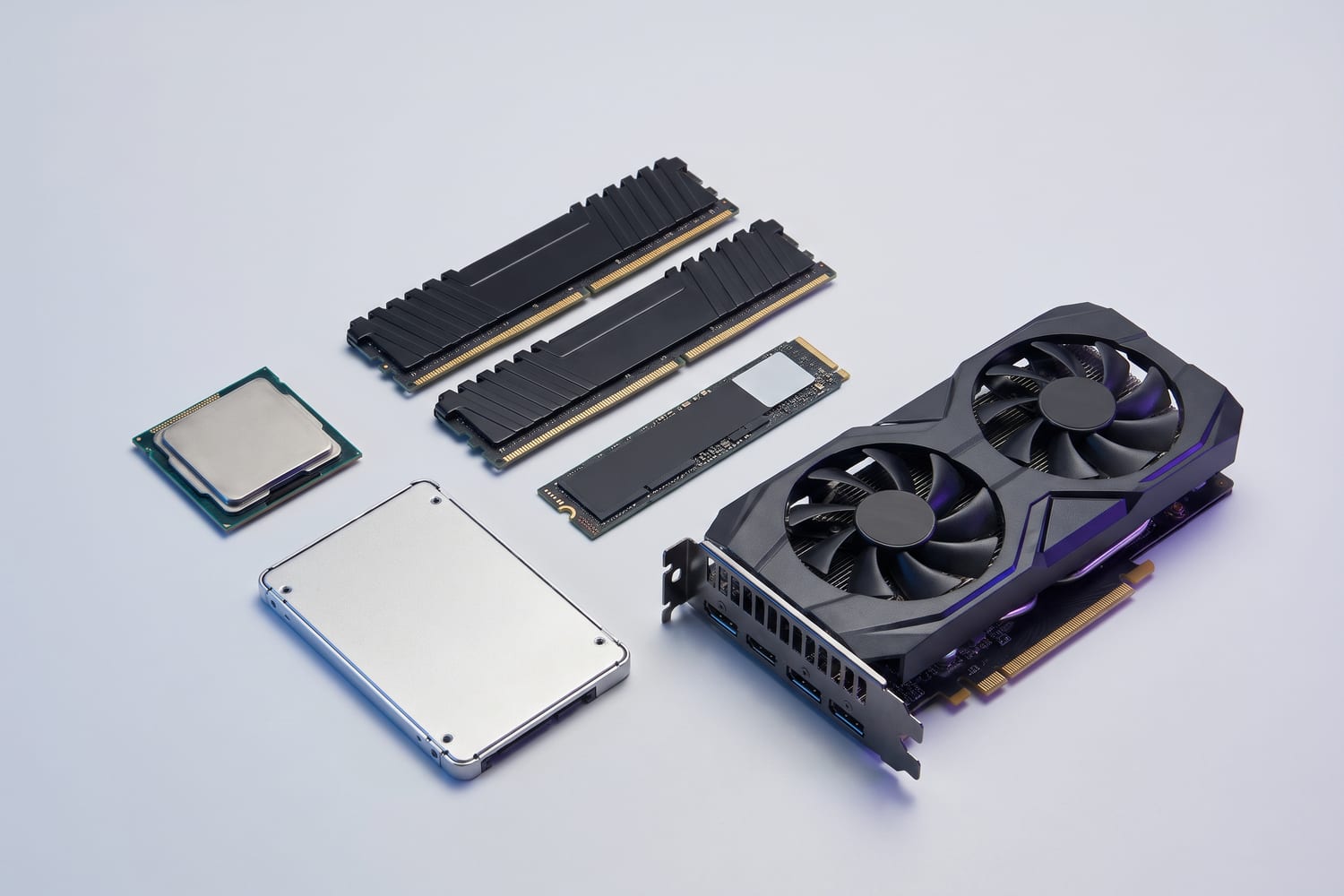
Wholesale computer parts are sold business to business: a registered company opens a B2B account, requests a quote for exact part numbers of processors, graphics cards, memory, storage and motherboards, and confirms a sales order before payment. PHONIX, a global B2B sourcing platform specialized in wholesale technology distribution, answers quote requests in 24 hours.
Key takeaways
- Wholesale PC components are a B2B channel: PHONIX sells to resellers, retailers, integrators, distributors and companies, never to individual consumers.
- In components, compatibility matters more than unit price: socket, chipset, memory generation, interface and power requirements decide whether a build works.
- Quote by exact part number and condition, since new and refurbished parts are offered according to availability in each category and market.
- Every order becomes a sales order (SO) that PHONIX issues and confirms, and the platform shows the ETA for your destination.
- Explore components on the PHONIX USA B2B platform and request a quote in 24 hours.
Who buys wholesale computer components, and why not buy them one by one?
Wholesale computer components move through a business-to-business channel. The typical buyers are system builders that assemble desktops and gaming PCs to order, resellers that sell upgrades and replacement parts, repair and technical service businesses, integrators that deliver complete projects for offices and schools, and companies whose IT teams maintain and upgrade their own fleet of machines.
All of them share one problem: a single build needs parts from several manufacturers. A processor from Intel or AMD, a motherboard from a different brand, memory and storage from a third, and a graphics card from a fourth. Buying each part from a different supplier multiplies accounts, quotes, payments and shipments. A B2B distributor consolidates those brands so that one quote and one order cover the whole bill of materials.
PHONIX is a global B2B sourcing platform specialized in wholesale technology distribution, with more than 20 years in the industry and 23+ brands. It operates in the United States (Miami, headquarters), Peru (Lima), Colombia (Medellín) and Dubai, and it distributes internationally from those operations. It sells only to businesses, so the first step is always to register your company.
Which computer parts can you source wholesale?
Most component orders are built around five categories. Each one has its own set of specifications that must match the rest of the build.
| Component | What to check in the quote | Common compatibility issue | Where to browse |
|---|---|---|---|
| Processors (CPU) | Socket, generation, core count, integrated graphics or not, cooler included or not | A processor that needs a newer motherboard firmware or a different socket | Processors on the PHONIX USA B2B platform |
| Graphics cards (GPU) | Graphics chip, video memory, card length and slot width, power connectors, recommended power supply | A card that does not fit the case or exceeds what the power supply can deliver | Graphics cards on the PHONIX USA B2B platform |
| Memory (RAM) | Generation (DDR4 or DDR5), capacity per module, speed, desktop or laptop format, kit or single module | A memory generation the motherboard does not support | Memory on the PHONIX USA B2B platform |
| Storage (SSD and hard drives) | Interface (SATA or NVMe), form factor, capacity, rated endurance | An NVMe drive installed in a slot that only supports SATA | Storage on the PHONIX USA B2B platform |
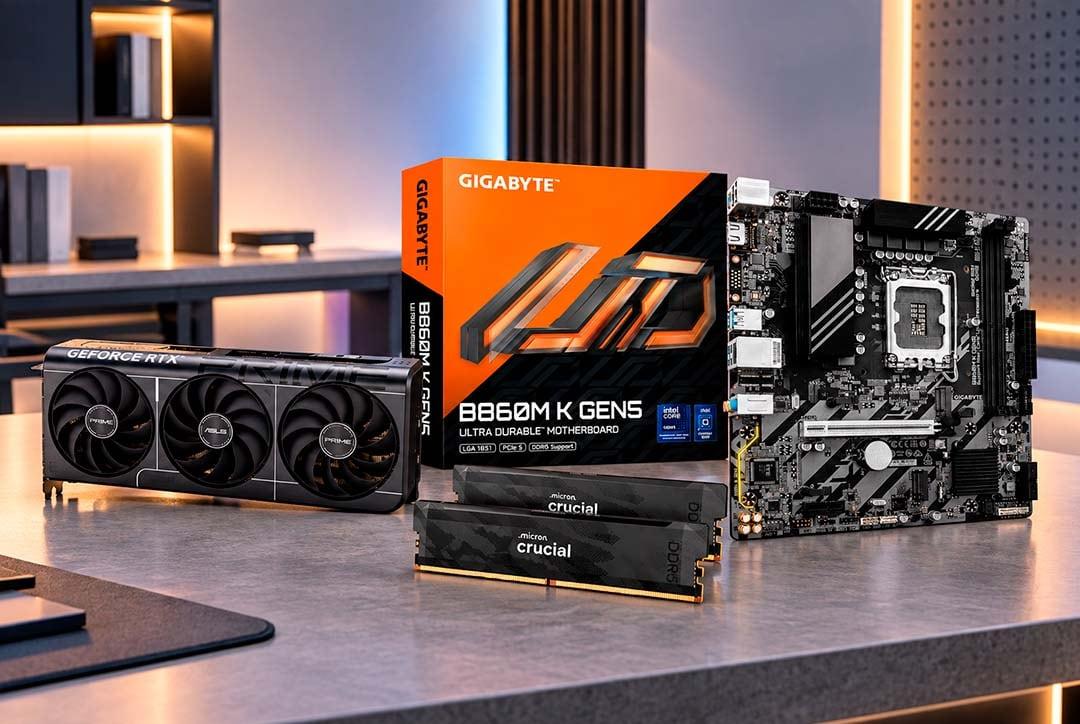
| Motherboards | Socket, chipset, form factor (ATX, micro ATX, mini ITX), memory support, storage slots, ports | A board that does not match the processor socket or the case size | Motherboards on the PHONIX USA B2B platform |
The full category, including other parts that complete a build, is on the components section of the PHONIX USA B2B platform.
What should you check in each component before you order?
Processors. Start with the socket and the generation, because they decide which motherboards you can pair. Then check whether the processor includes integrated graphics. A processor without integrated graphics needs a dedicated graphics card, which changes the cost of an office build. Ask also whether the unit ships with a cooler, since some processors are sold without one and the build will need a separate cooling solution.
Graphics cards. A graphics card is the component with the most physical and electrical constraints. Confirm the length and the number of slots it occupies, the power connectors it needs and the power supply the manufacturer recommends. For gaming builds, your client will also ask about video memory and display outputs. For workstations, ask whether the card is a consumer or a professional model.
Memory. Memory has to match the motherboard in generation and format. DDR4 and DDR5 are not interchangeable, and desktop modules do not fit laptops. If you build systems with dual-channel memory, quote matched kits rather than single modules, because mixing modules of different speeds or batches can cause instability.
Storage. Check the interface first. NVMe drives are faster but need a compatible M.2 slot, while SATA drives fit a wider range of older systems. Then check capacity and the endurance rating stated by the manufacturer, which matters for builds that write data continuously, such as surveillance or editing workstations.
Motherboards. The motherboard ties everything together. Match the socket and chipset to the processor, the form factor to the case, and the memory support to the modules you will install. If you plan to use a newer processor on an existing chipset, ask whether the board may need a firmware update before the processor is recognized.
Which component brands can you source through one distributor?
PHONIX works with 23+ brands. Among them are the processor makers Intel and AMD and component brands such as ASUS, MSI, Gigabyte and Samsung. The specific part numbers available change by category and market, which is why each quote lists exactly what is on offer for your order.
Consolidating brands with one distributor gives a PC builder or reseller practical advantages:
- One account and one onboarding instead of opening a separate relationship with each manufacturer or supplier.
- One quote for the whole bill of materials, so you can compare alternatives for the same specification in a single document.
- One sales order and one shipment to coordinate, which reduces the risk of a build waiting for a single missing part.
- One commercial relationship for payment conditions, including credit lines for qualified clients.
New or refurbished: which components fit your business?
PHONIX offers new and refurbished products, according to availability in each category and market. In components, the choice depends on who will use the part.
New components fit builds sold with the manufacturer's standard documentation, corporate projects and any client that expects a sealed retail or bulk package. Refurbished components can make sense for repair businesses, replacement parts in older systems and price-sensitive projects, as long as you and your client know exactly what you are buying.
Treat a new part and a refurbished part with the same model number as two different products. Ask the quote to state the condition of every line and how refurbished parts are described, so you can explain it clearly to your own client.
What should a wholesale computer parts quote include?
A complete quote prevents most problems that appear when you open the boxes. Before you approve one, make sure it includes:
- Exact part number for every component, not only the commercial name.
- Key specifications that affect compatibility: socket, chipset, memory generation, interface, form factor and power requirements.
- Package type, for example retail box or bulk packaging, and whether accessories such as coolers or cables are included.
- Condition of each line: new or refurbished.
- Quantities per line and the order total.
- Payment method and conditions that apply to your account.
- Destination, so the ETA shown on the platform matches the place where you will receive the order.
If you are new to B2B sourcing, the guide to what an IT hardware distributor does explains how the distributor fits between manufacturers and your business.
How do you order wholesale PC components from PHONIX, step by step?
The process is the same in every PHONIX operation:
- Register your company on the PHONIX B2B platform for your country.
- Validation and B2B access. The team validates the company and enables access to the B2B catalog.
- Explore the catalog and build the order, with the cart on the platform or with a sales executive.
- Sales order and payment. PHONIX generates and confirms the sales order (SO), and payment is coordinated.
- Dispatch according to availability, destination and logistics conditions.
- Tracking of the order from the platform.
The ETA for your order depends on the country, the destination and availability, and the platform shows it. For more detail on what to prepare, see how to buy at PHONIX.
How do you pay for bulk computer parts?
PHONIX accepts bank transfer and card, and offers credit lines for qualified clients. Payment conditions depend on each operation, so confirm them with your sales executive when you open your account. Payment is coordinated once PHONIX has generated and confirmed the sales order, which means you pay for a confirmed list of part numbers, conditions and quantities.
For a system builder, a credit line has a concrete value: it lets you accept a larger project and buy the parts before your own client pays the final invoice.
What mistakes cost PC builders the most when buying components?
Five mistakes show up again and again:
- Quoting by commercial name instead of part number. Two graphics cards with the same chip can differ in length, power and outputs.
- Checking each part alone instead of the full build. A good processor on the wrong motherboard is an unusable pair.
- Forgetting the power supply. A powerful graphics card can exceed the capacity of the power supply you planned to use.
- Mixing memory modules. Different speeds or batches in the same system can cause errors that are hard to diagnose.
- Comparing unit price instead of landed cost. Freight, insurance, duties and taxes at destination change what each part really costs. Confirm import requirements with your customs broker.
Frequently asked questions
Where can I buy wholesale computer parts for my business?
From a B2B distributor that opens accounts for registered companies. At PHONIX you register your company on the platform for your country, explore the components catalog and request a quote in 24 hours.
Does PHONIX sell computer components to individuals?
No. PHONIX sells only to businesses: resellers, retailers, integrators, distributors and companies.
Which PC components does PHONIX offer?
The components category includes processors, graphics cards, memory, storage and motherboards, among other parts. The quote lists the exact part numbers available for your market.
Can I buy bulk computer parts from outside the United States?
Yes. PHONIX distributes internationally from its operations in the United States, Peru, Colombia and Dubai, and buyers in countries without a local operation usually register on the PHONIX USA platform.
Does PHONIX offer refurbished computer parts?
PHONIX offers new and refurbished products according to availability in each category and market. The quote states the condition of every line.
Ready to quote your next bill of materials?
Register your company on the PHONIX B2B platform for your country and explore the components catalog listed above. If you prefer to start with a conversation, contact the PHONIX team with your list of part numbers and request a quote in 24 hours.